Learning Studio / features
Export and import course packages
Move a full native course as a .nxgen.zip package with preview, transport limits, and optional undo after import.
What a course package is
Section titled “What a course package is”A course package is a full native course archive (.nxgen.zip). Use it to transfer a course and its supported files into another Learning Studio library, or play the course outside the editor. The archive contains the course content, supported media and a bundled standalone player for local HTTP playback. Export always reflects the saved course snapshot on the server; import creates a new course with copied private files.
Export a package
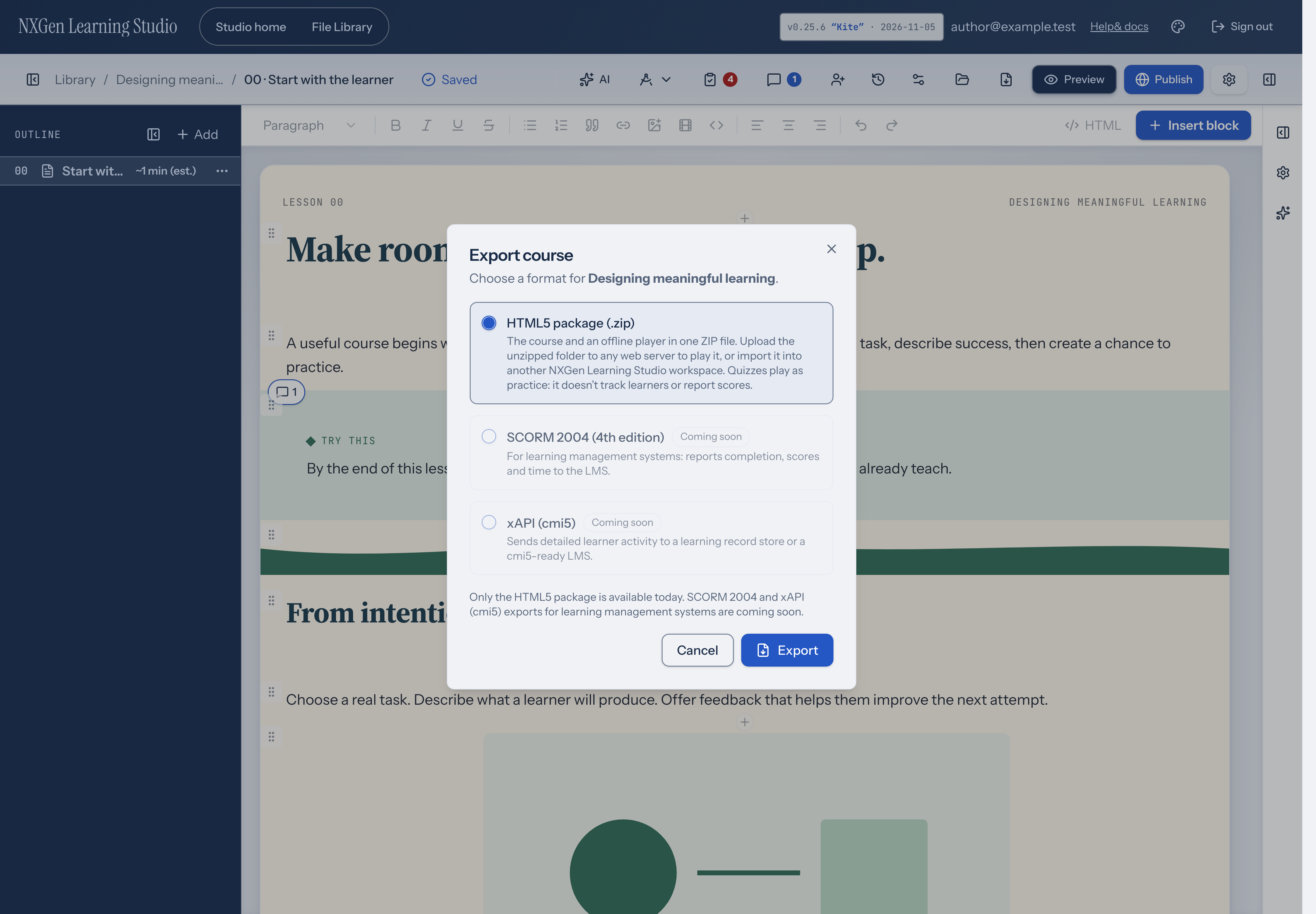
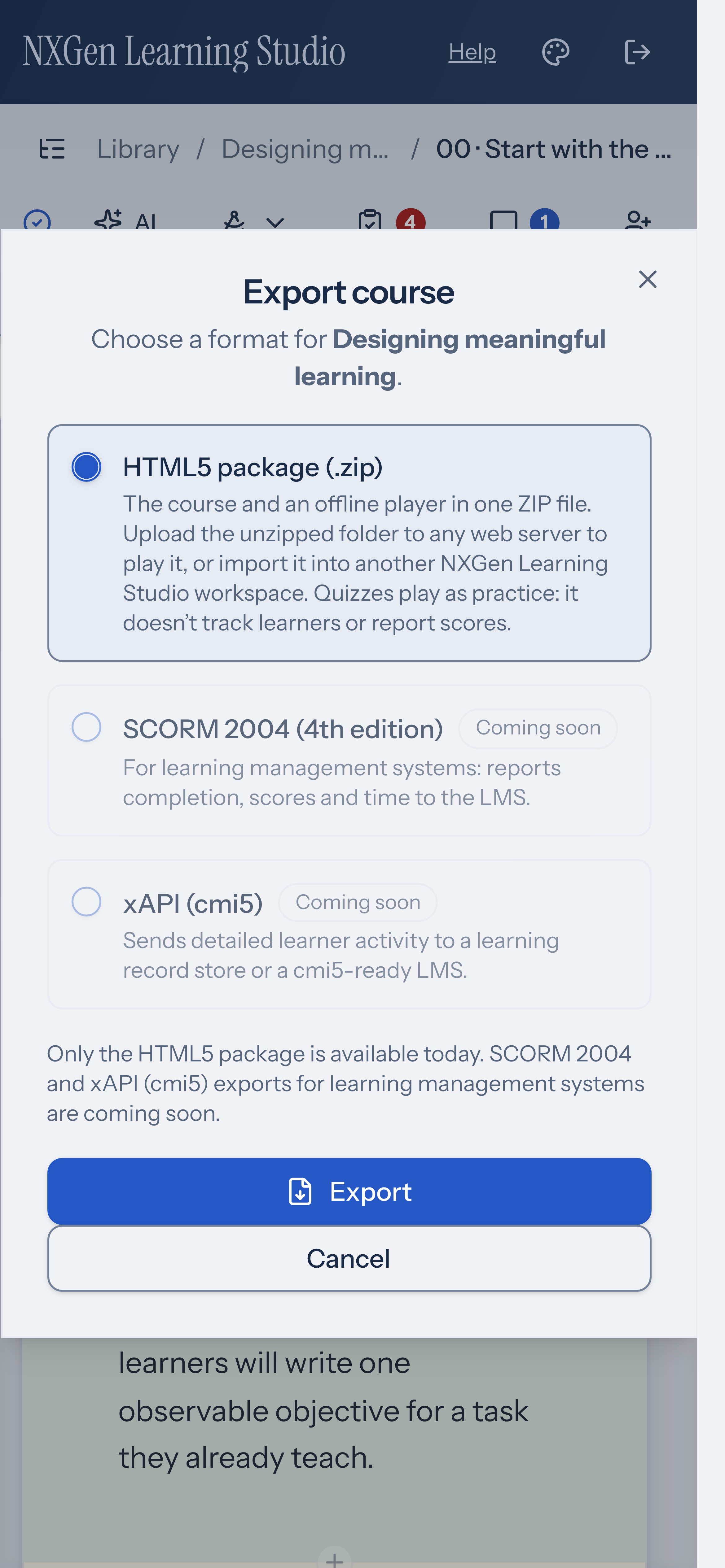
Section titled “Export a package”From the course editor, wait until your changes are saved, then choose Export in the top bar. From Studio home, open a course’s actions menu and choose Export…. Both open Export course.
Choose a format, then select Export:
- HTML5 package (.zip): available now. The course and an offline player in one ZIP file.
- SCORM 2004 (4th edition): Coming soon. For learning management systems that track completion, scores and time.
- xAPI (cmi5): Coming soon. Sends detailed learner activity to a learning record store or a cmi5-ready LMS.
Only the HTML5 package can be exported today. If you still have unsaved edits in the editor, Learning Studio asks you to Save your pending changes before exporting the course.
The app downloads the saved course as a file named from its title (for example My-course.nxgen.zip). The final ZIP must fit the current 32 MiB limit, including the bundled player, course metadata and files. Larger packages cannot export through this path. Courses with external embeds or YouTube/Vimeo videos can’t be exported yet; replace them with uploaded media first.
Supported media from built-in samples can be included automatically. For other remote files, upload the resource to your course before exporting. If export reports an unsupported dependency, resolve it and try again; a link to an external resource does not make that resource part of the ZIP.
Import a package
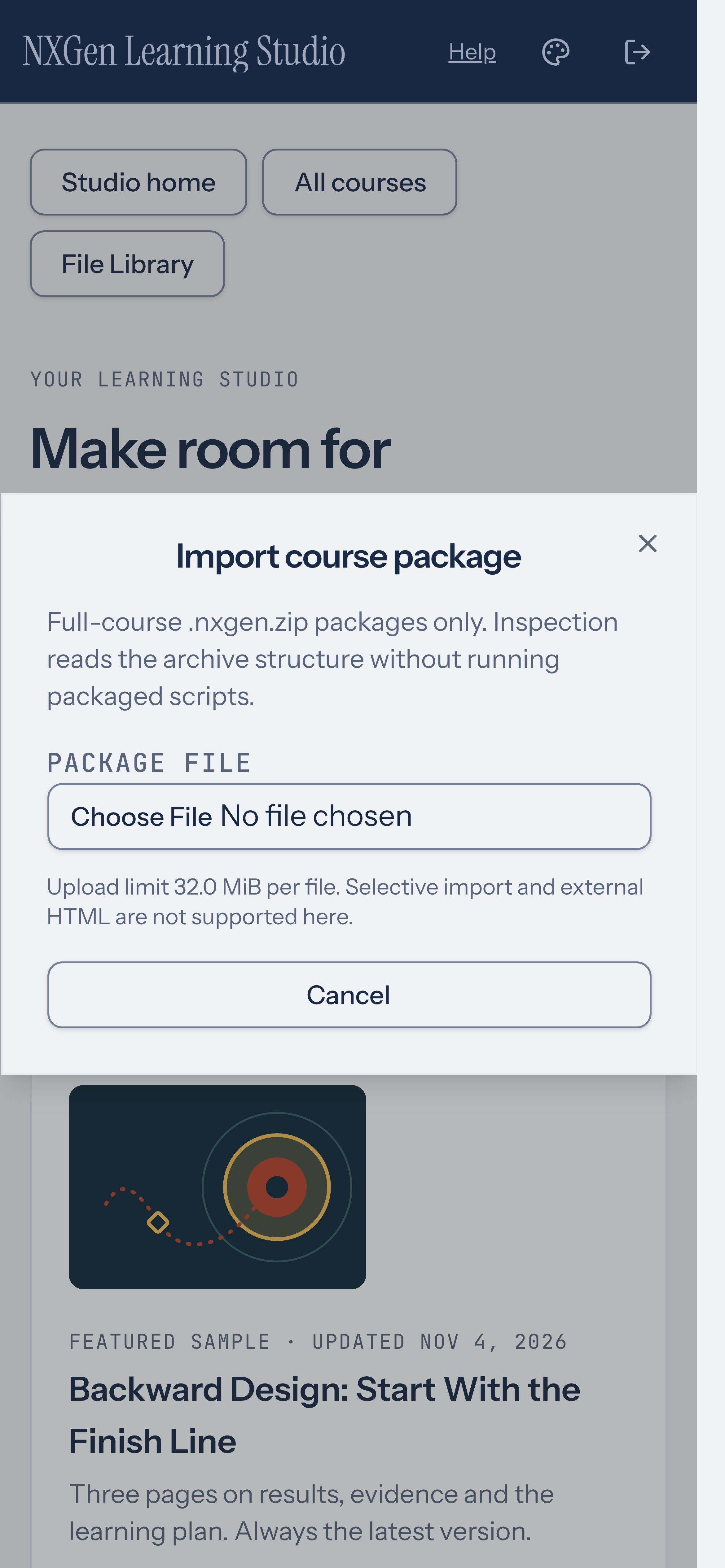
Section titled “Import a package”On Studio home, choose Import package to open Import course package.
- Choose a Package file (
.zipor.nxgen.zip). Uploads over 32 MiB are rejected. The dialog accepts Full-course .nxgen.zip packages only; selective import and external HTML are not supported here. - Review the import preview: course title, page count, asset count, and a Pages list. Blocking issues must be cleared before you continue.
- Edit Course title if needed, then Continue.
- Confirm Import course (or Retry same import when the previous attempt ended without a clear outcome). Keep using Retry same import if the result is uncertain; it resumes the same request instead of starting a duplicate.
- After success, Undo import (archive) removes the course from the active library without deleting its files; restore it later by enabling Show archived in the library and choosing Restore from the course actions.
Inspection reads archive structure without running packaged scripts. Import copies private files before the course appears in your library. If archiving ends without a clear result, choose Retry archive.
Standalone player behavior
Section titled “Standalone player behavior”Unzip the package, serve the extracted folder with a local HTTP server or static host, and open player/index.html through that server. Double-clicking the HTML file with a file:// address is not supported. Keep the package folders together so the player can load the course and media. The player uses the same course renderers as Preview. Answers are checked on the device, and nothing is recorded. A scored quiz shows Practice copy: this quiz is scored when taken in your course. Here your answers aren’t recorded. It still shows the pass score and attempt limit, for example Pass at 80% · 2 attempts when scored. When attempts are unlimited, it shows only the pass score, for example Pass at 80% when scored. A knowledge check still shows Knowledge check · practice, not scored. The package preserves authored scoring definitions for reimport, but standalone playback does not enforce Studio-style gated navigation with secure server grading. Do not treat standalone playback as tamper-proof assessment.
Availability and limits
Section titled “Availability and limits”- Full-course import and export only; fragment or selective packages are rejected.
- HTML5 packages don’t report to a learning management system. SCORM 2004 and xAPI (cmi5) exports are coming soon.
- Current transport cap: 32 MiB for the final imported or exported ZIP, including the player, course metadata and files.
- Export requires a saved course; editing in another tab can block export with The saved course changed. Refresh before exporting.
- Courses that depend on external embeds, video services, unsupported remote files, or missing private resources can be blocked from export. Resolve the reported dependency before trying again. Ordinary links can still lead outside the package.
- No SCORM interchange and no promise of secure standalone quiz gating.