Learning Studio / features
View element history
Review the edit history of a selected block in the inspector.
Review a block’s edit history
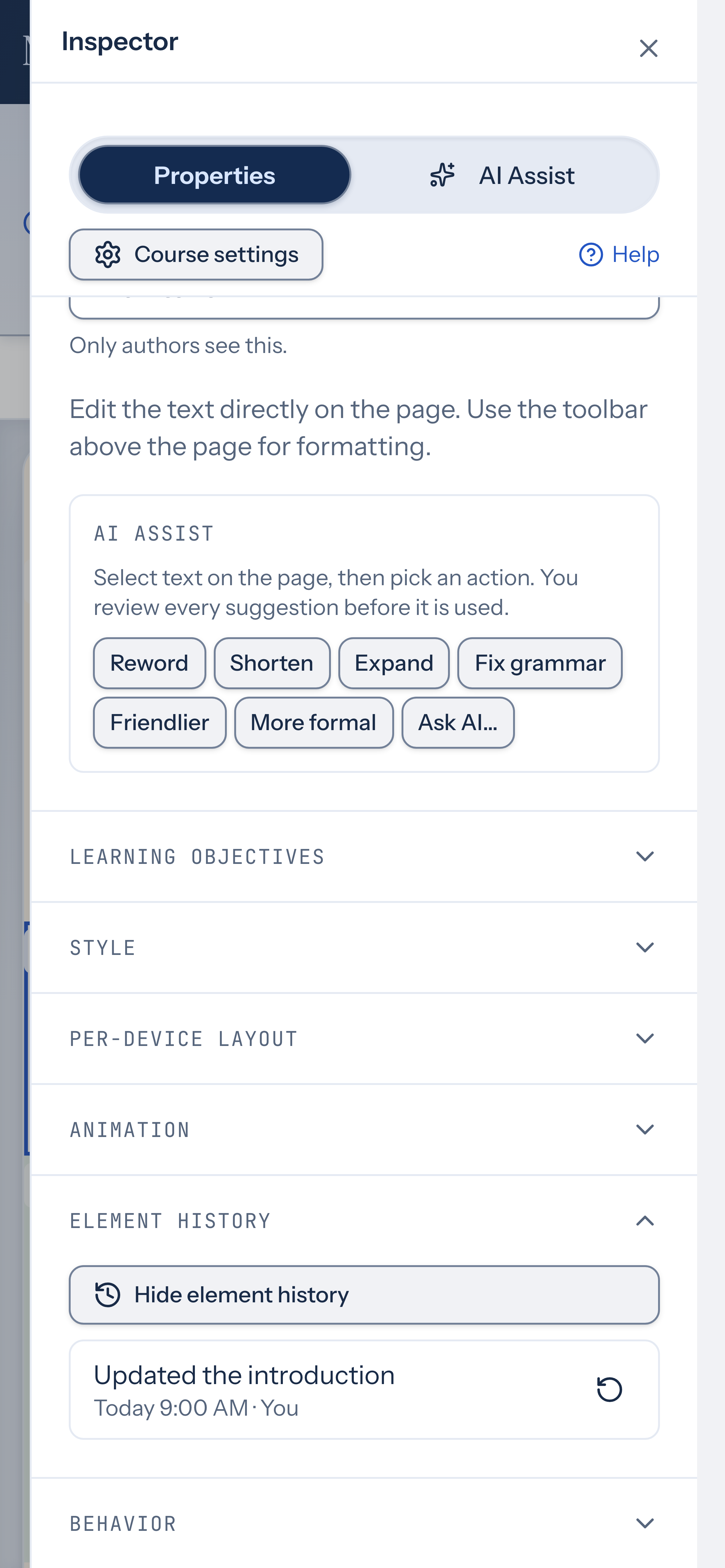
Section titled “Review a block’s edit history”When you select a block in the inspector, the Element history group lists saved changes for that block. Each entry shows a short label, then when it happened and who made the change (You, AI, or Agent), for example Today 5:42 PM · You.
Select Show element history to expand the list. History appears after the block has been saved at least once.
How to use it
Section titled “How to use it”- Select a block on the canvas to open its properties in the inspector.
- Scroll to the Element history group and select Show element history.
- Review the list of saved changes for that block. If there are more entries, select Load more to load the next page.
- To restore the block from a saved version, select the restore button (the circular arrow) next to an entry. This applies the block’s properties from the closest saved version at or before that point in history.
- If the restore succeeds, you’ll see a confirmation message with the time that saved version was made. Undo is available after a restore.
Restoring overwrites the block’s current properties with those from the saved version. If no saved version holds the block at the chosen point, the restore won’t apply and you’ll see a message explaining why.
Availability and limits
Section titled “Availability and limits”- Element history is available for every block type when a block is selected in the inspector.
- The list appears only after you expand it, with a Load more option for additional entries.
- Restore is disabled while a restore is in progress or when the block is locked.
- If the block is locked, unlock it in the Behavior group before restoring.
- Restore applies the block’s properties from the closest saved version at or before the selected entry — it does not restore the exact point-in-time state if no snapshot matches.